
Exploded Features – Acres Check
This tutorial explains how to view acreage for multipart polygons in Silvics Spatial ai using View Exploded Features. This tool applies to Tracts, Stands, shapefiles, and DSL layers.
Step 1: Select the multipart feature.
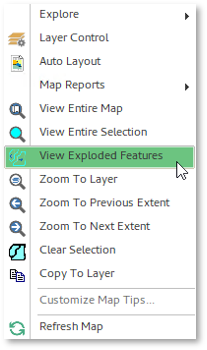
Step 2: Rt-click and choose View Exploded Features
- Note: The layer must be visible and selectable.
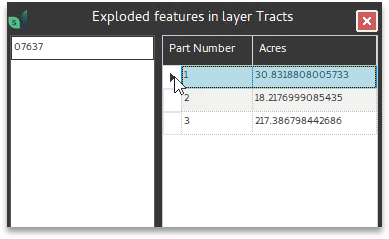
Step 3: Click the feature name on left side of the form.
- This populates the Part Number and Acres columns on right.
- Clicking through the listed parts will flash each portion of the multipart feature.
Use this form to review and copy/paste acreage values as needed.