

Getting Started with Tally
Overview
The “Getting Started with Tally” page provides step-by-step instructions for installing and setting up the Tally app for forestry fieldwork. It covers downloading the APK, verifying folder creation, completing the initial setup with job details, and starting a tally file. Users are guided through selecting plots, entering tree data, and saving entries properly using the “NEXT” button. The guide ensures new users can collect field data accurately and efficiently.
Need More Help?
For personalized assistance tailored to your specific needs, speak with a knowledgeable customer service representative.
Workflows
Downloading the App
Currently available for Android devices only:
Step 1: In your device’s web browser, go to Tally.
Step 2: A web page will temporarily open, and then go away as the download begins. Allow access to your device when prompted.
Step 3: Following completion of the installation, navigate to “My Files” on your device and make sure a “Tally” folder has been created. Also confirm that it contains the “tally”, “plots”, and “setup” subfolders.
Field Instructions
Step 1: If this is your first time using the app:
- Tap “Initial Setup.”
- Enter the Job Name and Cruiser Initials.
- Select the correct Setup File and Plot File for your cruise job.
- Tap Save to continue.
If you’ve already completed setup, tap “New Tally File” to go straight to the Select Plot screen.
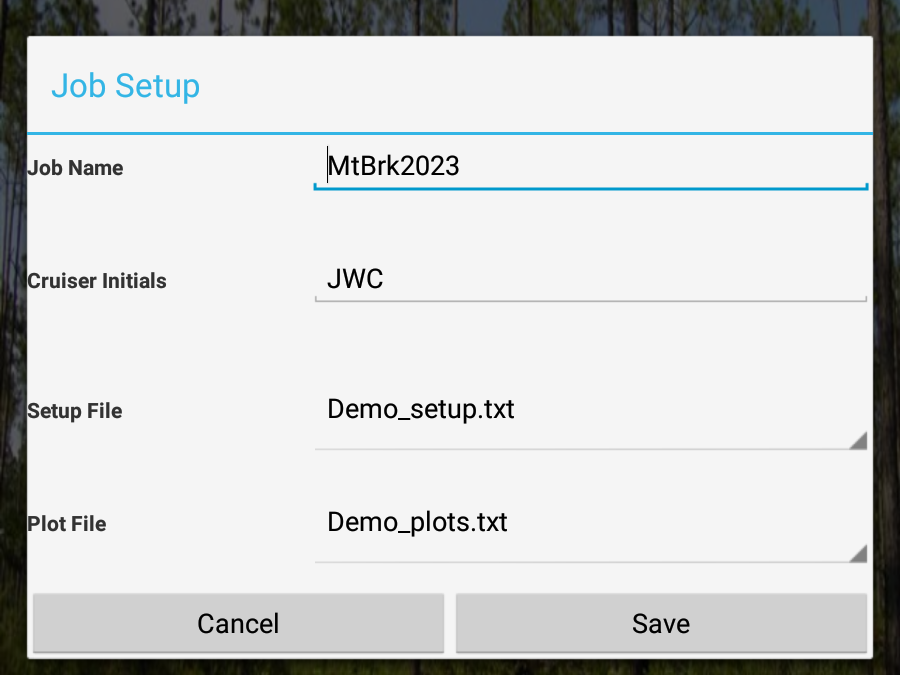
Step 2: Make sure the Tally File Name is correct. It should follow this format: [cruiser initials][job code][date] (e.g., JWC_JOB01_2023.csv). Also, double-check that the correct Plot and Setup Files are selected.
Step 3: On the Select Plot screen, type in the plot number and tap on it when it appears in the drop-down box.
Step 4: Tap “Add Trees” to begin entering tree data for the selected plot.
Step 5: Input data into each cell. Tap NEXT after each entry to save it and move to the next cell.
Step 6: When you finish entering data for the plot, tap NEXT one final time to save the last entry. (Note: If you do not tap NEXT the entry in the current cell will not be saved.)
Step 7: Tap the Tally logo in the top left corner to return to the Select Plot screen.
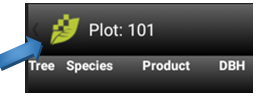
Step 8: Turn device screen off and proceed to next plot.
Step 9: Repeat steps 3 – 8 for next plot.
If for any reason you leave the Tally app after you have tallied any trees on a plot then you have a tally file saved for that day. To re-enter the Tally app:
- Repeat step 1 from above.
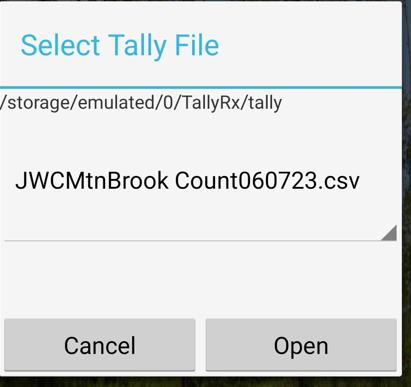
- Tap on Existing Tally File as you have already created one for that day.
- Tap on the file labeled from the above example JWCMtnBrook Count060723.csv is the tree file for Training, 06/07/23.
- Be sure that the file selected is for today’s date and ends in the suffix “.csv”
- Tap on Open.
- Repeat steps 3 – 8 from above list.
Tally Office Instructions
All instructions in this section are for the laptop/desktop. No action is required on the handheld other than making certain the software is closed on the device.
To load files onto device for the Tally app.
- Connect Device to computer, Wi-Fi network, or established cellular connection. Files can be copied manually via connecting to a computer or by emailing them to yourself and downloading them through your email app on the device.
- Copy the plots.txt and setup.txt files for this cruise job into the “plots” and “setup” subfolders in the “Tally” folder on the device (as described in the first drop-down).
- Disconnect the device.
To Download cruise files from the device.
- Connect device to a computer, Wi-Fi network, or establish a cellular connection.
- Select the .csv file with the appropriate cruisers initials and date from the “tally” subfolder in the “Tally” folder on the device.
- Copy and paste this .csv file to a storage location on the laptop/desktop.
- Disconnect the device.
- Or you can simply email the tally .csv file straight from your device to the job leader.