
Making Layers Editable, Selectable, and/or Visible
Overview
Spatial AI allows the display of map layers from many sources and also allows the user to define how they wish to interact with each layer. A user can set each layer as Visible, Selectable, and or Editable through the user interface of Spatial AI.
Need More Help?
For personalized assistance tailored to your specific needs, speak with a knowledgeable customer service representative.
Workflows
Step-by-Step Instructions
Ensuring that appropriate layers are visible, selectable, and/or editable can be done in one of two ways:
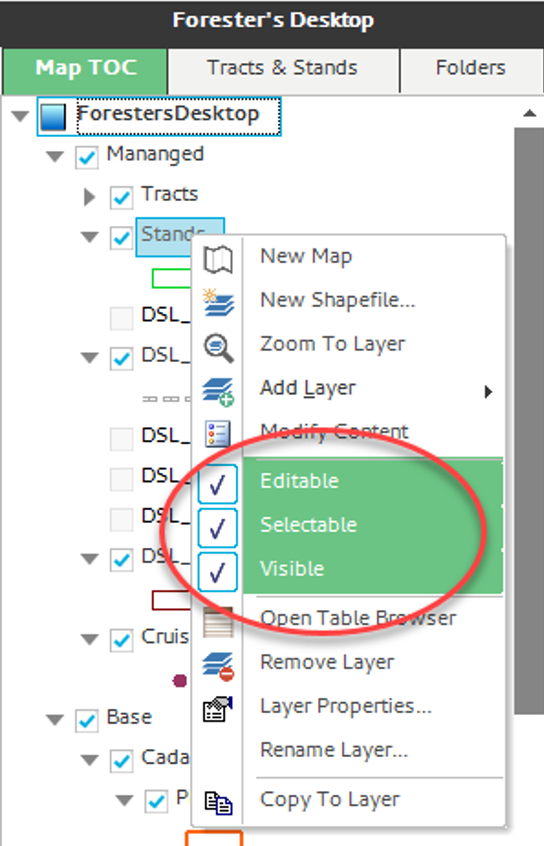
1) Right click the layer in the Map TOC and check the appropriate check boxes,
OR
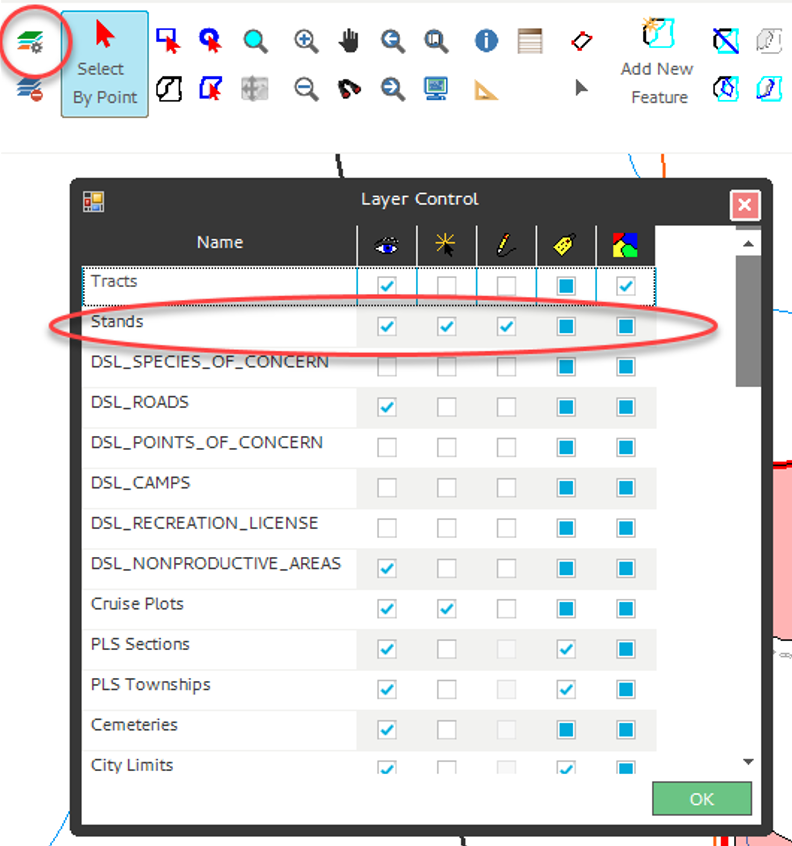
2) Open Layer Control and check the appropriate check boxes.